Why Choose Brorsoft FLV Converter for Mac?
Brorsoft FLV Converter for Mac is a great tool to edit and convert any FLV and F4V from YouTube, Hulu, Fox, NBC, MySpace, Metacafe, Dailymotion for Mac users to be enjoyed with portable devices like iPod, iPhone, iPhone 5S, iPad/iPad 2/the new iPad 3, Blackberry, Samsung Galaxy Tab/Galaxy Note 3/Galaxy Tab 3, Cell Phones, etc. on the go. It highlights with its powerful edit options, faster conversion speed, advanced audio and video sync technology, built-in codec, and so on.
Full Compatible with Various Multimedia Devices
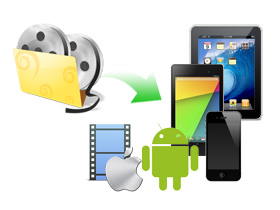
The converted output videos are perfectly compatible with various multimedia devices such as iPad/iPad 2, Motorola Xoom, Dell Streak, Galaxy Tab, iPhone 4, Motorola Droid X/2, HTC Desire/EVO 4G, Apple TV, WD TV and more.

Convert FLV to Virtually Any Format
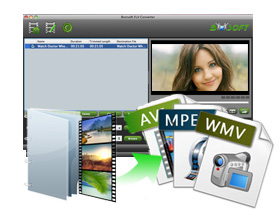
Brorsoft FLV Converter for Mac enable you to convert any kind of FLV or F4V videos to other video and audio files such as AVI, DivX, XviD, WMV, MOV, MPEG, MP4, MKV, 3GP, AAC, AC3, etc.
Easily Join and Split FLV/F4V Files
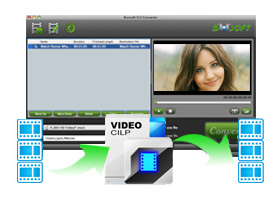
Checking the option "Merge into one file", you can effortlessly combine multiple FLV/F4V files into a single file. Meanwhile, using the using the Split function, you can split the selected video file into required video clips by specifying the clip quantity, duration time and file size.
Edit and Retouch FLV/F4V Videos Instantly
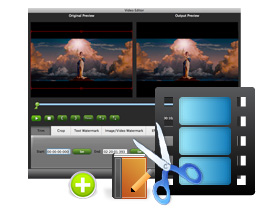
Brorsoft FLV Converter for Mac's editor section allows you to get any video length you want with Trim, just drag the process bar to the trim points; cut off the black edges and unwanted video area easily with Crop; merge many FLV/F4V videos into a signal one; replace the original audio even adjust audio volume.
 If you're looking forward to getting an all-in-one video converter to convert FLV/F4V, MKV, MXF, AVCHD MTS/M2TS, AVI, MPG, TiVo, MOV, etc. videos files in one place on Mac OS X, Brorsoft Video Converter for Mac is a better choice.
More Features
Advanced Settings
Adjust the output video parameters like resolution, frame rate, etc.
Technical Support
Lifetime free technical support and upgrade services are provided.
Batch Conversion
You can convert multiple files at the same time for faster conversion.

 For Mac
 For Windows