
- Store
- Products
- Downloads
- Resources
-
 For Mac
 For Windows
 Home > Video and Audio Tips > XDCAM/XDCAM HD/XDCAM EX to FCP
Import MXF files from Sony XDCAM/XDCAM HD/XDCAM EX to FCP on Mac
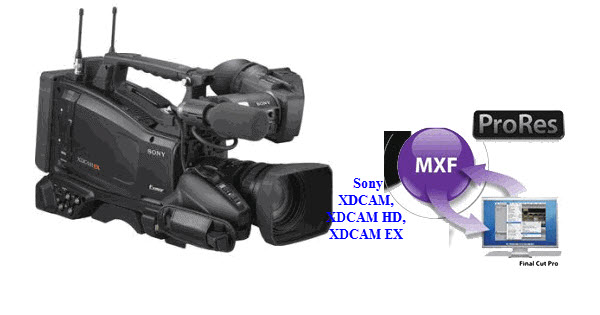
Hi, I am working with SONY XDCAM HD files on my FCP, but it is quitting unexpectedly very frequently, it’s entirely impossible to work on it. Is the format fully supported by the FCP, or do I need to change it to some other format? Or any other solutions to it?
How to import XDCAM footage into FCP is still a common problem among the Sony XDCAM users. Apple had released a Knowledge Base article on how to import XDCAM footage into FCP X. Hang on a minute though, many users can not solve the problem till now.
To be able to import Sony XDCAM, XDCAM HD and XDCAM EX media into Final Cut Pro, you'll need to download and install the Sony XDCAM Transfer software and XDCAM Drive software. While, if you haven’t install these XDCAM import Plug-in for Final Cut Pro correctly, it’s still hard task to transfer Sony XDCAM media to FCP 7 or FCP X. So, is there any workaround to solve the issue easily?
Of course, there is. We have found an easy solution to transferring Sony XDCAM files to FCP fast and easily. First of all, get the best Sony XDCAM to FCP Converter. It will help you convert Sony XDCAM MXF or MP4 files to ProRes for FCP on Mac at fast speed without quality loss.
Guide on converting Sony XDCAM/XDCAM HD/XDCAM EX Video to FCP 7/X on Mac
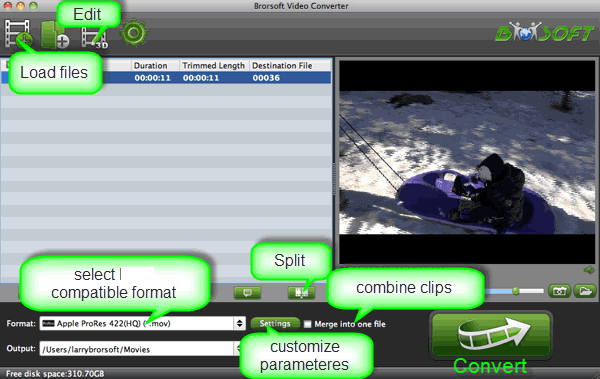
Step 1: Launch the recommended Sony XDCAM Video Converter to import your MXF files to it. Check the “Merge into one” box to combine several files together.
Step 2: Click the format bar and choose Final Cut Pro >> Apple ProRes 422 (*.mov) or Apple ProRes 422(HQ) as the output format for FCP editing with least quality loss.
Step 3: You can click “settings” to customize the output parameters: video resolution, bitrate, frame rate(usually 30fps is proper) as you want.
Step 4: Press the Convert button; it will start to transcode Sony XDCAM to ProRes for FCP 7/X on Mac OS X.
After the successful conversion, you can easily bring Sony XDCAM .mxf or .mp4 files to FCP 7, FCP X for editing on Mac.
Related Products
Video Converter for Mac


Useful Tips
Social Connection

Copyright © 2019 Brorsoft Studio. All Rights Reserved.