
- Store
- Products
- Downloads
- Resources
-
 For Mac
 For Windows
 Home » DVD Ripping Tips » Rip DVD to Nexus 7
DVD to Nexus 7- Rip DVD movies to Google Nexus 7 in full screen
The Google Nexus 7 Tablet is now available. Nexus 7 comes with all your favorite Google Apps -- like Gmail, Chrome, Google+ and YouTube -- putting the best of Google in the palm of your hand. Plus, powered by Android 4.1, Google Nexus 7 brings your entertainment to life in stunning clarity on a vibrant 1280-by-800 high-resolution and stunning 7" display.
User reviews:
The good: The Nexus 7's quad-core Tegra 3 processor delivers fast performance and a beautiful and responsive screen. Also, it's comfortable to hold and Android 4.1 brings a surplus of welcome additions. At only $200, the Nexus 7 is a steal.
The bad: The lack of built-in expandable storage and omission of HDMI are disappointing, and the design follows the plain, black tablet mold. The top and bottom bezels are a bit too thick.
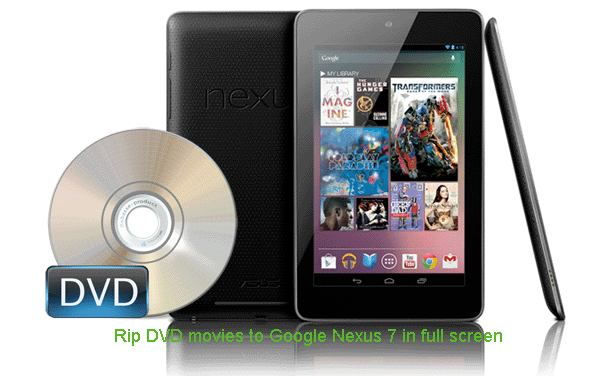
As a seven-inch tablet the Nexus 7 offers fast performance, the very latest Android Jelly Bean OS (and no doubt prompt upgrades too), plus a solid, reliable experience in use that will make it an essential part of your life. All in all, it's a bargain that makes the Google Nexus 7 won lots fans. If you've been one, ever thought of loading DVD movies to Nexus 7 for enjoyment? If so, go through the page to get some tips.
Nexus 7, an Android 4.1 tablet cannot handle DVD discs directly without DVD drive. And we find the Nexus 7 video formats are limited to MPEG4, H.263, H.264, VP8. Thus, to enjoy DVD movies on Nexus 7, you have to rip and convert DVD to Nexus 7 friendly format in advance. Here Nexus 7 DVD Ripper will be your best choice, which allows you to rip and convert DVD to MP4 video for Google Nexus at ultra fast speed.
How to Convert and Play DVD movie on Google Nexus 7
Step 1: Run the best DVD Ripper for Nexus 7, and load your DVD movies to it. You can preview your movies if necessary.
Tip: You can freely select the subtitles for your movies as you like from the Subtitles option.
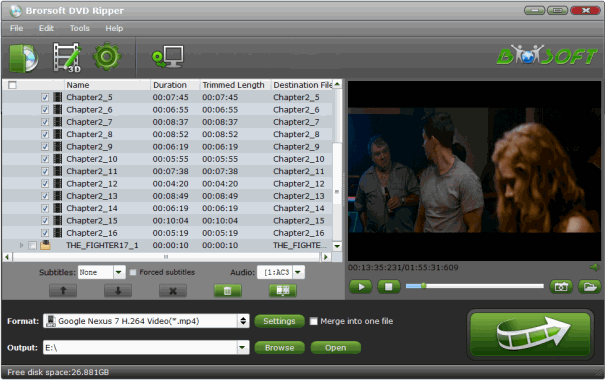
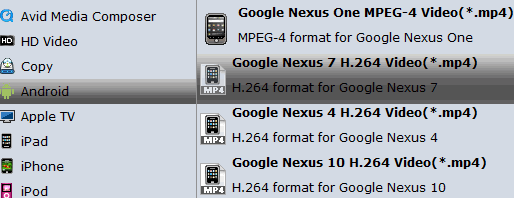
Step 2: Select MP4 as output format for Google Nexus 7. Click on Format, and from the dropdown mean, choose Android > Google Nexus 7 H.264 Video(*.mp4) as the target format. The output video could fit on Google Nexus 7 perfectly and supports full screen playback.
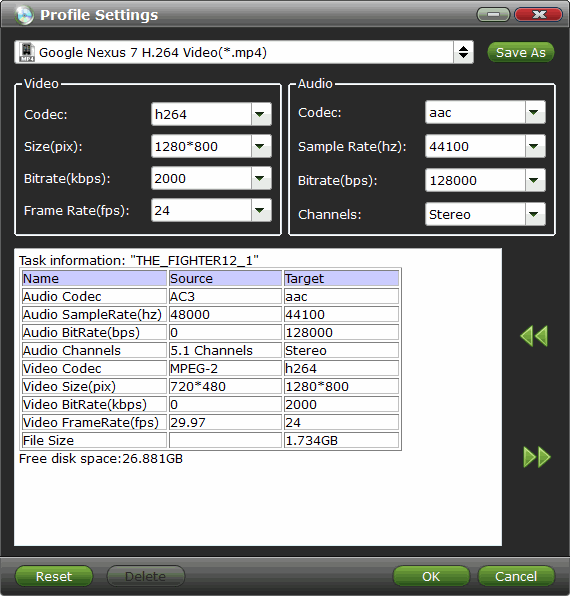
Step 3 (Optional): If you think the video quality is not suitable for your Nexus 7, you can first choose any one of the provided type, then change the "Settings". Please remember the file size is based more on bitrate than resolution which means bitrate higher results in bigger file size, and lower visible quality loss.
Step 4: Tap the Conversion button; it will start the DVD to Nexus 7 conversion immediately at 5x faster speed with the CUDA/AMD acceleration technology support.
After the conversion, you will get the output effortlessly. Now, you can copy DVD movies files to Nexus 7 with full screen playback in HD quality.
Related Guides:
How to Rip Blu-ray to Nexus 7
How to Transfer Media files to Nexus 7
Google Nexus 7 Tech Specs & Videos Playback Tips
Related Products
DVD Ripper


Useful Tips
Find us on Facebook

Adwards
Copyright © 2017 Brorsoft Studio. All Rights Reserved.